
Reels
Add Shoppable Reels (Videos)
Overview
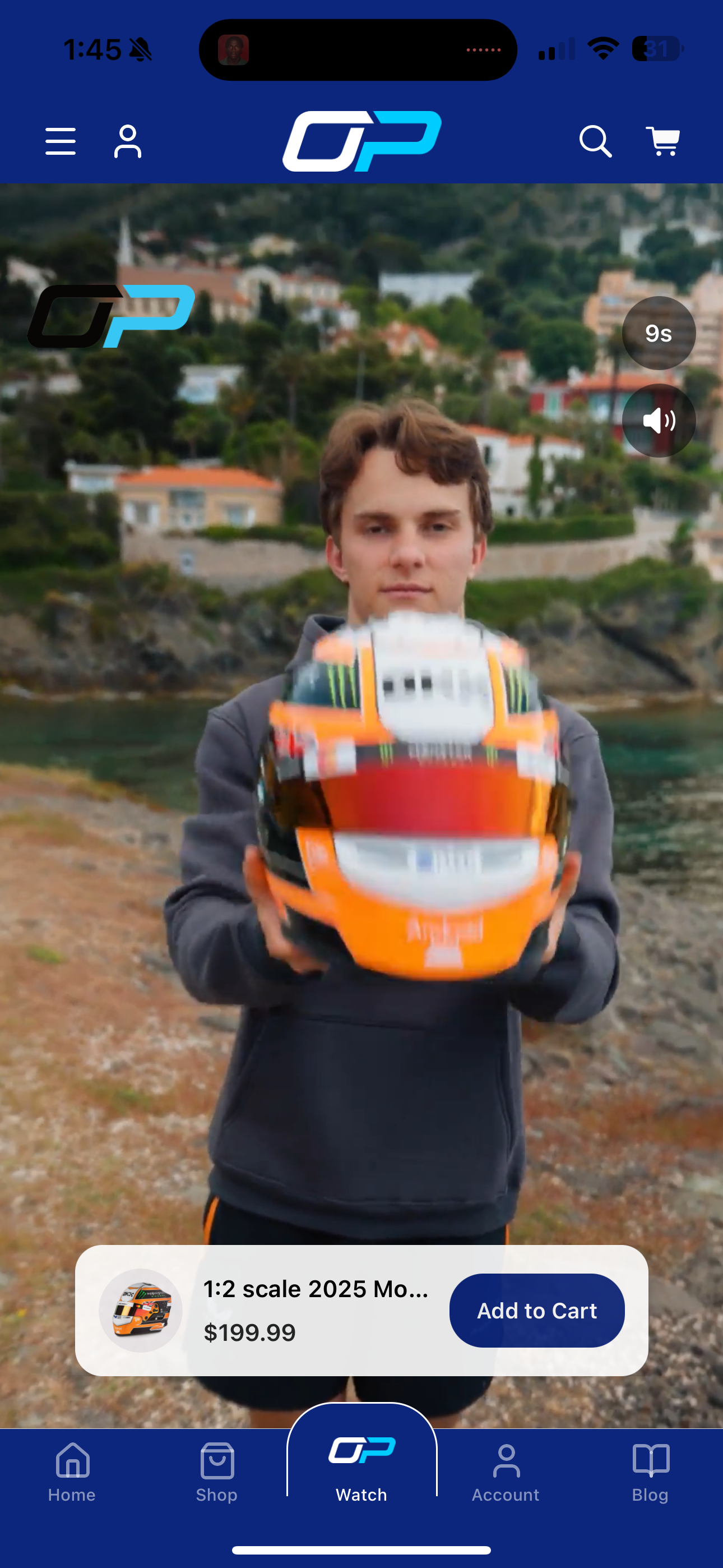
You can add shoppable videos to your app using the Reels Library.
Reels allow users to:
- Scroll through short videos
- Tap products featured in the video
- Add items directly to their cart
This guide walks through creating and configuring a Reel.
Access the Reels Library
- Go to Marketing Menu
- Select Reels Library
- Click New Reel
Create a New Reel
1. Add Basic Details
- Enter a Title
- Upload your Video
- Click Create Reel
Your video will begin processing and converting for in-app use.
You can preview the reel once processing is complete.
Configure Reel Settings
Within the Reel settings, you can:
- Toggle Active (make the reel live)
- Display your Logo
- Start video Muted or with sound
- Configure Auto-Transition between reels
- Set Display Duration
Set Region Availability
Reels can be assigned to specific regions.
If you offer region-specific products:
- Create different reels per region
- Assign each reel to the appropriate market
Add Shoppable Actions (Add to Cart)
To make your reel shoppable:
- Click Add Action
- Choose a destination:
- Page
- Collection
- External URL
- Product
Add a Product
- Select Product
- Search for and select your product
- Preview the Add-to-Cart box
You may feature multiple products within a Reel.
Customize the Add-to-Cart Box
You can adjust:
- Background color
- Text color
- Button color
- Button text
You may also use colors from your existing app color palette.
Once satisfied, click Add Action.
Preview and Publish
- Review your Reel using the preview
- Ensure it is marked Active
- Save changes
Add Reels to Navigation
If using the Reels feature:
- Add Reels to your app’s navigation
- Ensure users can easily access the Reels section
Best Practices
- Keep videos short and engaging.
- Highlight featured products clearly.
- Match add-to-cart styling with your brand.
- Use region targeting when showcasing region-specific items.
- Always preview before activating.
Your shoppable Reel is now ready to drive engagement and conversions within your app.
Updated 3 months ago